
1 - Go to the admin site, click Components → JoomTestimonials → Categories.
2 - Click on New green button to create a new category. Please note that the Title of category is required.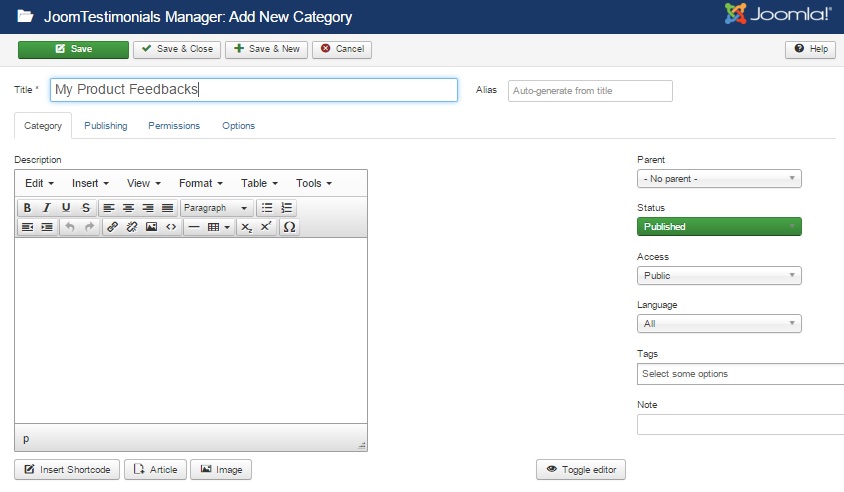
- Title: The title of the category is requested by default.
- Alias: Alias is for internal use only. Just leave it blank and Joomla will fill in a default value from the category’s title. It has to be unique.
- Parent: Choose one parent category from existing categories or No Parent.
- Status: Select among Published, Unpublished, Archived or Trashed opitions.
- Access: Set the permission for users to see the category.