JoomMap require Google Map Javascript API key to work properly, follow this steps to enable google map api service in JoomMap component.
- Sign in to your google account
- Go to Google console developer: https://console.developers.google.com/
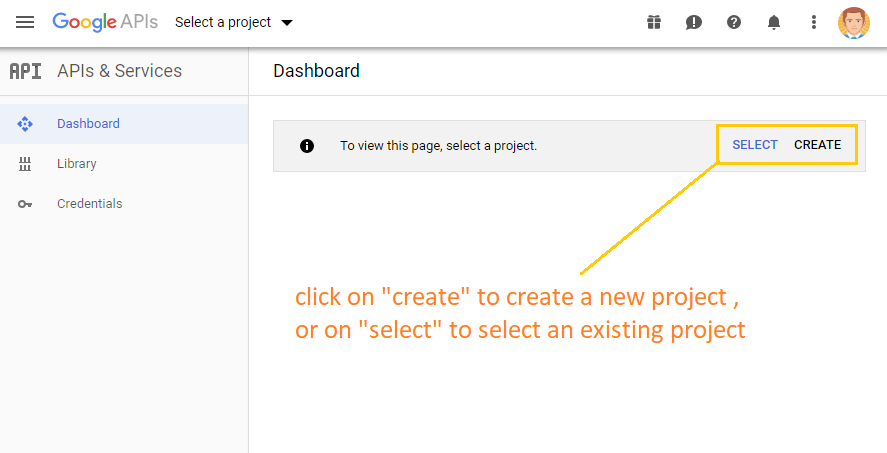
- Creat a new project or select an existing one
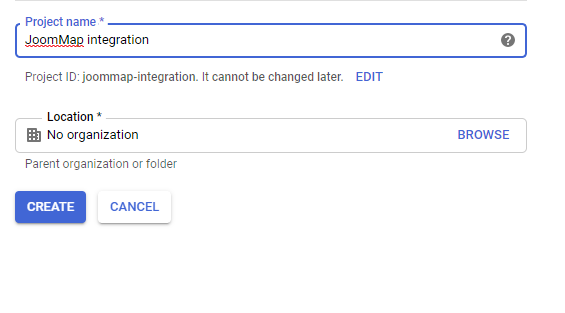
- Enter the project name
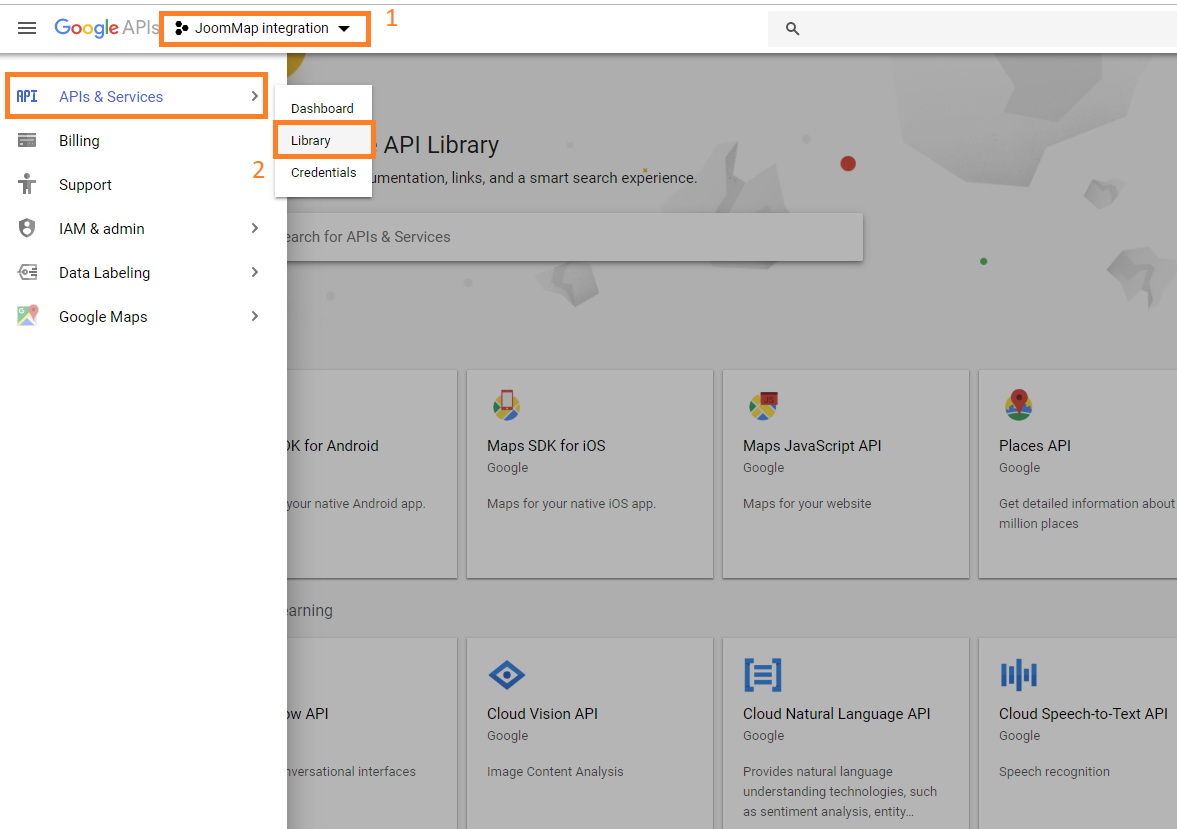
- Once project added and selected, go to API & services and choose library , then enable Google MAP Javascript API and Google MAP Geocoding API (click on enable button once you open the library)
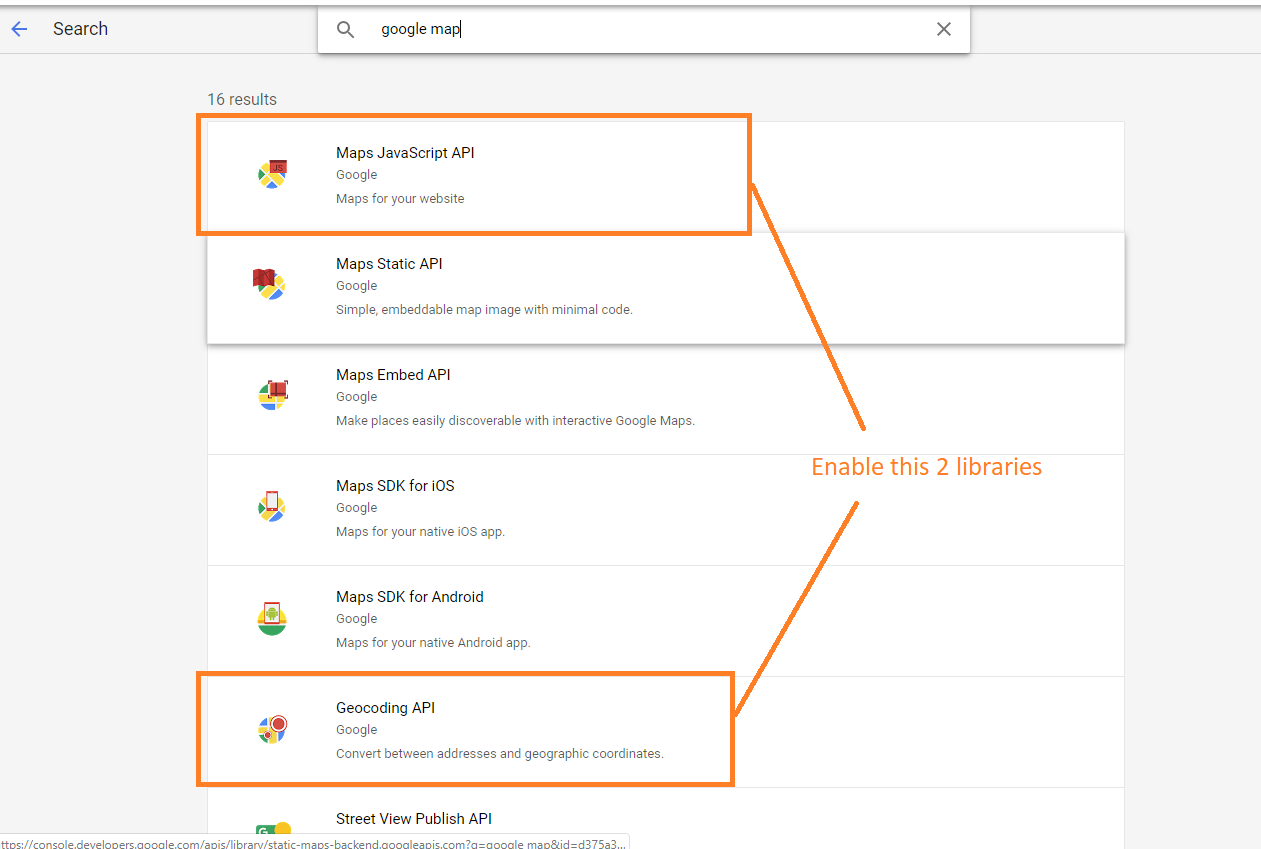
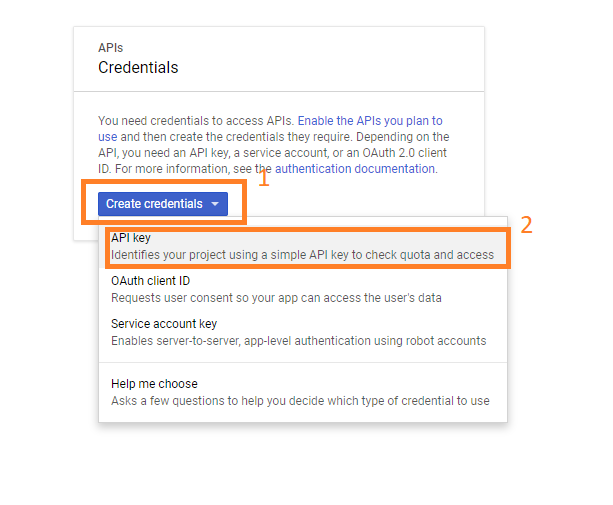
- Next go to API & Services menu again and click on Credentials , click on create credentials and select API Key
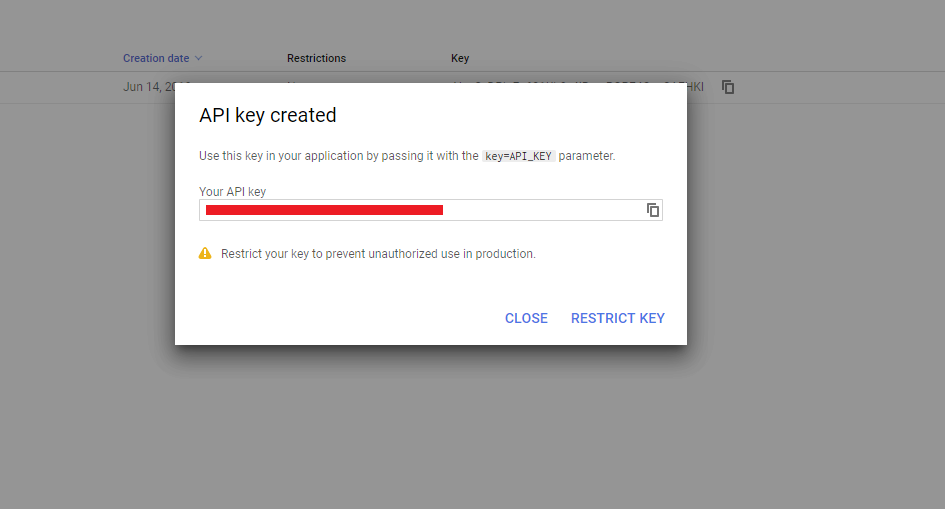
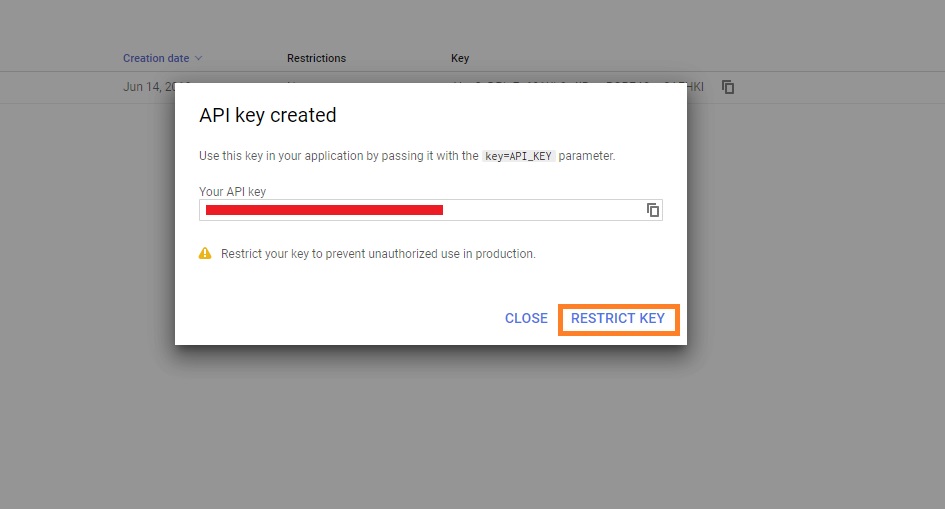
- Now you will get the API key, copy the api key
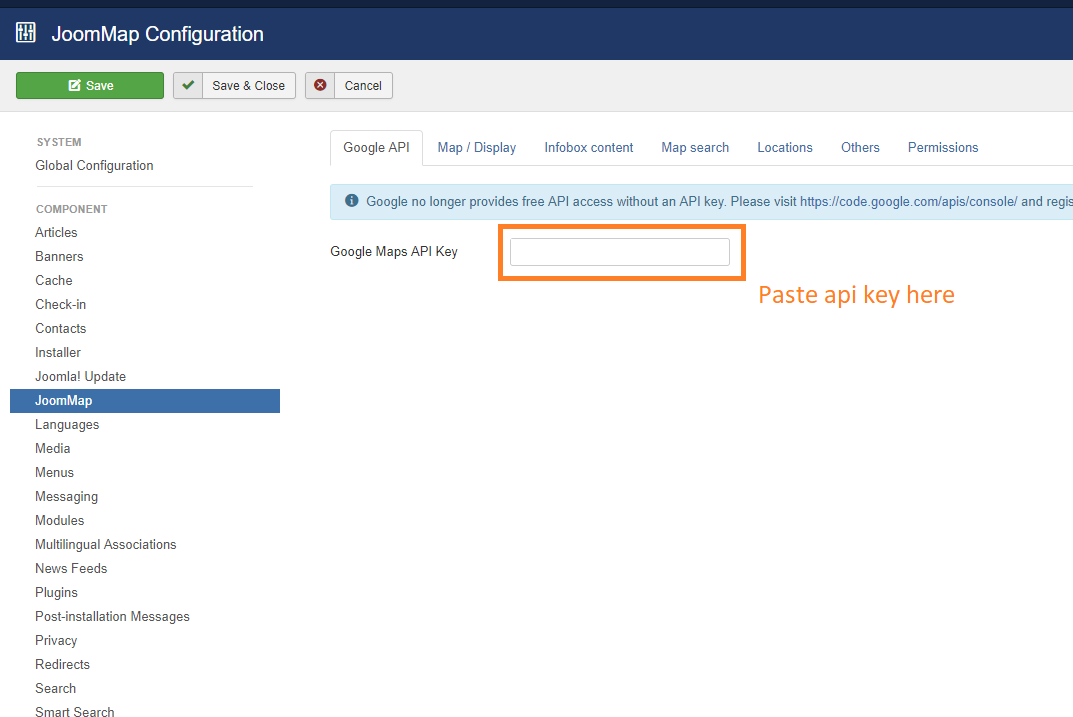
- Go to JoomMap configuration and paste it in Google Maps API Key input
- Now go back to Google console developer, click on restrict key button
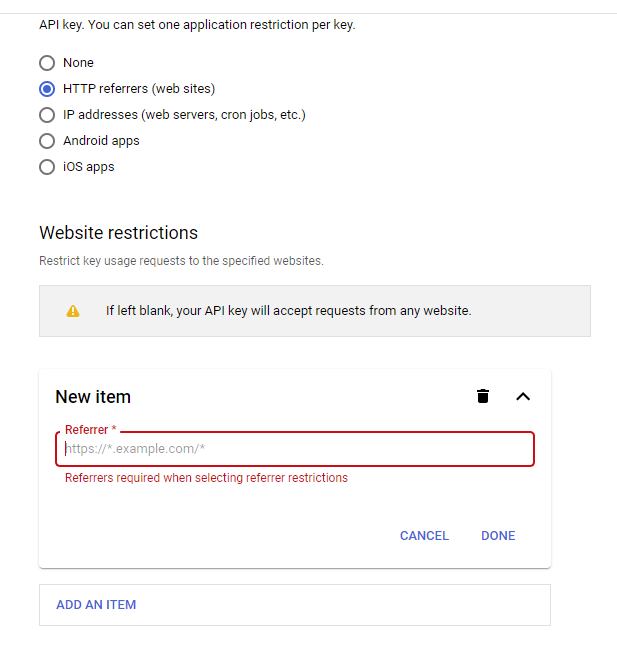
- Then scroll down the page to the Application restrictions, click on HTTP referrers (web sites) after "add an item", enter your website url then save